How to Order Glasses Online From Nations Optics: A Step-by-Step Guide
Oct 16, 2026
By Rahul Jain
0 comment(s)
How-To Guide
How to Order Glasses Online From Nations Optics: A Step-by-Step Guide
Pick a frame, choose your lenses, add your prescription and check out. Here's exactly how it works, including what to do if you're not sure about a step.
Buying glasses online can feel like a lot the first time. Which frame size? Which lens? What do all those numbers on your prescription mean? It's normal to hesitate, especially if you're used to buying from a shop and trying things on.
The good news is that the process is simple once you know the order. This guide walks you through ordering any frame and lenses from Nations Optics, one step at a time, with tips for each stage.
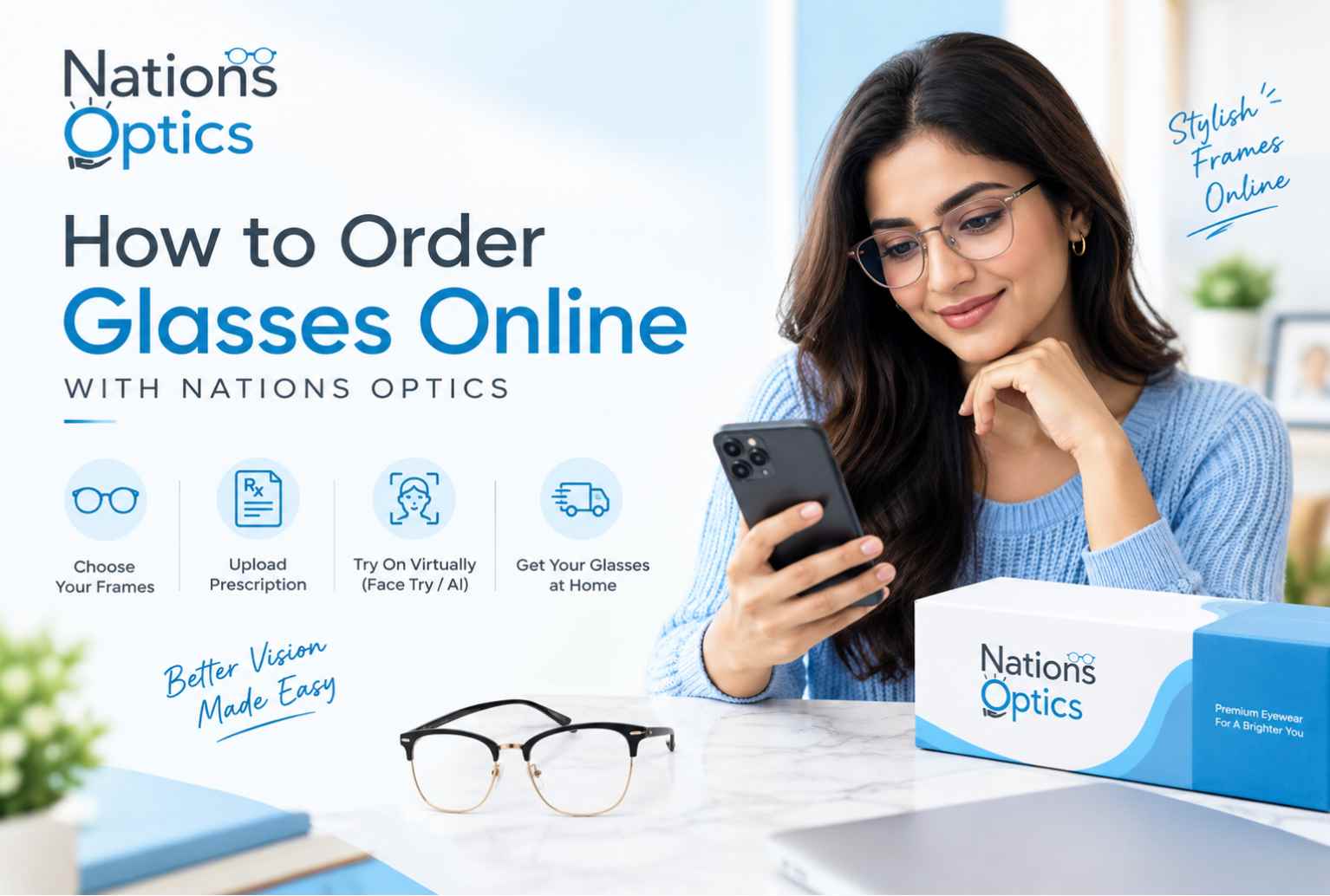
Choose Frame Pick Lenses Prescription AI Checkout
Before you start: what you'll need
- Your prescription, if you need vision correction. A recent one from an eye test is best. A clear photo of the slip is handy for Prescription AI.
- Your PD (pupillary distance), which may be on your prescription. If not, ask your optician. Our face tool can estimate it for fitting frames.
- An idea of what you'll use the glasses for: everyday wear, screens, driving, reading, or just style.
- A few minutes. Most people finish in under ten.
No prescription? You can still order zero power glasses. For anything that corrects your vision, you'll need a valid prescription from an eye test. Our zero-power glasses guide explains the difference.
Step by step: how to order
Two tools sit on our homepage, in a section called Smart Tools for Perfect Vision: Face Size & Try Frames and Prescription AI. The rest happens through the menu at the top: Eye Frames, Sunglasses, Lens Collection, Personalize Your Lenses and Kids Frames.
1
Browse and choose your frame
Open Eye Frames from the top menu and choose Full Rim, Half Rim or Rimless, for women or men. You'll also find Sunglasses and Kids Frames for boys and girls.
Not sure about shape? Our guides on face shapes and the best glasses and small or narrow faces can help.
2
Check the size and try it on
On the homepage, tap Get Started on the Face Size & Try Frames card. It scans your face, measures your face width, PD and nose bridge, suggests a frame width and lets you try frames on virtually, with filters for frame type, gender and fit.
Take the scan with your glasses, mask and hat off, in good light, facing the camera.
Also check the measurements on each product page: lens width, bridge and temple length. If you already own a pair that fits well, match those numbers. Our frame size guide shows how to read them.
3
Choose your lens type
Browse the Lens Collection to see what's on offer, then open Personalize Your Lenses to build your lenses. First pick the type:
- Single Vision for one distance, such as distance or reading. Choose CR-39 or Polycarbonate.
- Multi-Vision for progressive or bifocal lenses.
- Zero Power if you do not need vision correction.
Rimless frames use polycarbonate lenses only. Not sure which type you need? Read our guide to single vision, progressive and bifocal lenses, or let Prescription AI suggest one in the next step.
4
Add your prescription
You have three ways to do it on the lens page:
- Upload your prescription as a JPG, PNG or PDF.
- Enter it manually using the dropdowns for SPH, CYL, AXIS, ADD and PD.
- Share it later if you do not have it handy yet.
Or start from the homepage with Prescription AI (tap Upload Rx). It reads your slip, fills in the values and suggests a lens type. More on that just below.
Whichever route you take, compare the numbers against your slip. One wrong digit changes the lens.
5
Choose your lens features
The lens page also lets you add features. Options include an anti-glare blue block, a photochromic grey, a sunglass tint and a night-driving tint. Pick only what you'll actually use.
For rimless frames you can also choose a lens shape.
6
Review and check out
Look over your frame, lens choice and prescription one more time, then go to checkout. Payment options and any current offers are shown on the checkout page.
Add your delivery address and confirm your order.
7
Track your order
Delivery is within India. Most orders arrive in around 5 working days, and custom lenses can take up to 7. You'll get tracking links by WhatsApp and email, and your invoice follows after delivery.
Buying sunglasses instead? Our guide to ordering sunglasses online covers it, and you can also read about prescription sunglasses.
Prescription AI: upload your slip and get a lens suggestion
Typing a prescription by hand is where most mistakes happen. A minus sign gets missed, an axis number gets swapped. And even with the numbers right, it's not always obvious which lens suits you. That's why we built Prescription AI. You upload your slip, our AI reads it and fills it in instantly, and then it suggests a lens type for you, such as single vision or progressive, and tells you why.
1
Tap Upload Rx
On the homepage, find the Prescription AI card under Smart Tools for Perfect Vision and tap Upload Rx.
2
Upload your slip
Add a photo, scan or PDF of your prescription. The whole slip should be visible.
3
It reads and fills it in
It picks up SPH, CYL, AXIS, ADD and PD for both eyes and shows you a prescription card to confirm.
4
Get a lens suggestion
Based on your values, it recommends a lens type that suits you and explains the reason, so you don't have to guess.
5
Confirm and carry on
Check each value against your slip, pick your frame and complete the order. An optician reviews your prescription before the order is confirmed.
Tips for a good upload
- Lay the slip flat and shoot it straight on, not at an angle.
- Use good light and avoid shadows and glare.
- Make sure the numbers for both eyes, and any ADD or PD, are in the frame.
- If it can't read your slip confidently, it will ask for a clearer image or let you enter the values by hand.
Good to know: at the time of writing, Prescription AI supports single vision and progressive lenses, and bifocal support is coming. If you need bifocals, enter your values by hand or contact us. And always check every field against your slip, because a wrong digit changes the lens. Our Smart Prescription Reader article has the full details.
How to read your prescription
Your prescription is a short list of numbers. Here's what each one means so you can check it with confidence.
| Term | What it means |
|---|---|
| OD / OS | OD is your right eye. OS is your left eye. |
| SPH (sphere) | The main power. A minus sign usually means short-sightedness. A plus sign usually means long-sightedness. |
| CYL (cylinder) | Correction for astigmatism. It may be blank if you don't have any. |
| AXIS | The angle for your cylinder, from 1 to 180. It goes with CYL. |
| ADD | Extra power for near vision, used for progressive and bifocal lenses. |
| PD | Distance between your pupils. It helps centre the lenses correctly. |
If any number looks unclear, ask the person who tested your eyes before you order. It's quicker than fixing a wrong pair later. Reading glasses buyers can also see our reading glasses power guide.
Which lens should you choose?
| Option | Good for |
|---|---|
| Zero Power | Plain glasses with no correction, including screen-comfort pairs. |
| Single Vision (CR-39) | Everyday wear for one distance, such as distance or reading. |
| Single Vision (Polycarbonate) | Lighter and more impact-resistant. A good fit for kids, sport and rimless frames. |
| Multi-Vision (Progressive or Bifocal) | People who need help for both distance and near vision. |
| Anti-glare blue block | Long hours on screens, if you want a blue-light option. |
| Photochromic grey or sunglass tint | Tinted options for brighter conditions. |
| Night-driving tint | An option for night drives. Read what night driving glasses can and cannot do first. |
Tips for a smooth first order
- Use a recent prescription. If yours is more than a year or two old, get your eyes tested first.
- Check the frame size against a pair that already fits you well.
- Use Upload Rx to save typing, then double-check every field before you confirm.
- If you wear progressives for the first time, give your eyes a few days to adjust.
- Keep your prescription slip until your glasses arrive, in case you need to check something.
Our post on why a yearly eye exam matters explains how often to get your eyes tested.
Need help?
If you get stuck at any step, reach out through our contact page and share your order details or prescription question. We'd rather help you get it right the first time than fix it afterwards. You can also read our Returns & Exchanges page.
Frequently Asked Questions
Can I order glasses online without a prescription?
Yes, if you want zero power glasses, such as plain or screen-comfort lenses. For vision correction you need a valid prescription from an eye test.
What is Prescription AI?
It's our tool on the homepage that reads your prescription from an uploaded photo, scan or PDF, fills in the values and suggests a lens type for you. Tap Upload Rx under Smart Tools for Perfect Vision. Read more in our Smart Prescription Reader guide.
Does Prescription AI choose my lenses for me?
It guides you. After reading your prescription it suggests a lens type, such as single vision or progressive, and tells you why. An optician then reviews your prescription before your order is confirmed, and you make the final choice.
What if Prescription AI can't read my slip clearly?
If it isn't confident about what it read, it will ask you to upload a clearer image or enter the values yourself. A flat, well-lit photo with the whole slip in frame usually helps.
Does Prescription AI work for bifocals?
At the time of writing it supports single vision and progressive lenses, and bifocal support is being added. If you need bifocals, enter your values by hand on the lens page or reach out to our team.
What if I don't know my PD?
Use the Face Size & Try Frames tool to get an estimate for fitting frames. For cutting your lenses, the PD from your optician or prescription is the one to use. Our guide on why PD matters explains more.
Which lens should I choose: CR-39 or polycarbonate?
Polycarbonate is lighter and more impact-resistant, so it suits kids, sport and rimless frames. CR-39 is a common everyday choice. If you aren't sure, choose based on your power, your frame type and how you use your glasses.
Do rimless frames have lens limits?
Yes. Rimless frames use polycarbonate lenses only.
Can I order progressive or bifocal lenses online?
Yes. Choose Multi-Vision on the lens page and add your full prescription, including the ADD (near) power. Our progressive lens buying guide and adaptation guide help if it's your first pair.
What if my power is very high or unusual?
The standard flow doesn't cover every prescription. If yours falls outside the standard or high power ranges, the lens page asks you to message our optical team on WhatsApp for a custom quote.
How long will my order take?
Most orders reach customers in around 5 working days. Custom lenses can take up to 7. You'll get tracking details by WhatsApp and email.
Do you deliver outside India?
Delivery is within India.
What if my glasses don't feel right?
Reach out through our contact page with your order details, and see our Returns & Exchanges page for how that works.
Can I order glasses for my kids?
Yes. There's a Kids Frames section for boys and girls. Make sure the prescription is recent, since kids' eyes change quickly. Our kids eyeglasses guide has fit and durability tips.
Final thoughts
Ordering glasses online is straightforward once you know the order: frame, size, lenses, prescription, checkout. Take your time with the prescription and the fit, and the rest follows.
When you're ready, browse the Nations Optics collection and pick a pair that suits your eyes and your day.
Frame, lenses, prescription, done.
Try our smart tools
Face Size & Try Frames
Scan your face to get your face width, PD and a suggested frame width, then try frames on virtually before you buy.
Prescription AI
Upload your prescription slip, let our AI read it and fill it in, and get a lens suggestion that suits your power.
Ready to Order Your Glasses?
Browse frames, measure your face size and choose lenses made to your prescription.
Browse Eye FramesRelated Reading
Exclusive Offers
Sitewide
33%
OFF
Flat 33% off on all products
Already applied on every price · no coupon needed
Auto-applied
10%
OFF
On orders ₹1,200 – ₹1,799
No coupon needed · saves automatically
Auto-applied
15%
OFF
On orders ₹1,800 – ₹3,199
No coupon needed · saves automatically
Best Deal 🔥
20%
OFF
On orders above ₹3,200
No coupon needed · saves automatically
Pay Advance
₹50
SAVED
Pay advance amount at checkout
Flat ₹50 off · pay balance on delivery
Pay Full ✓
₹100
SAVED
Pay full amount at checkout
Maximum saving · instant confirmation
N
Nations Optics Assistant
● Online
👋 Hi! I'm your Nations Optics assistant. Ask me anything about lenses, frames, or prescriptions!