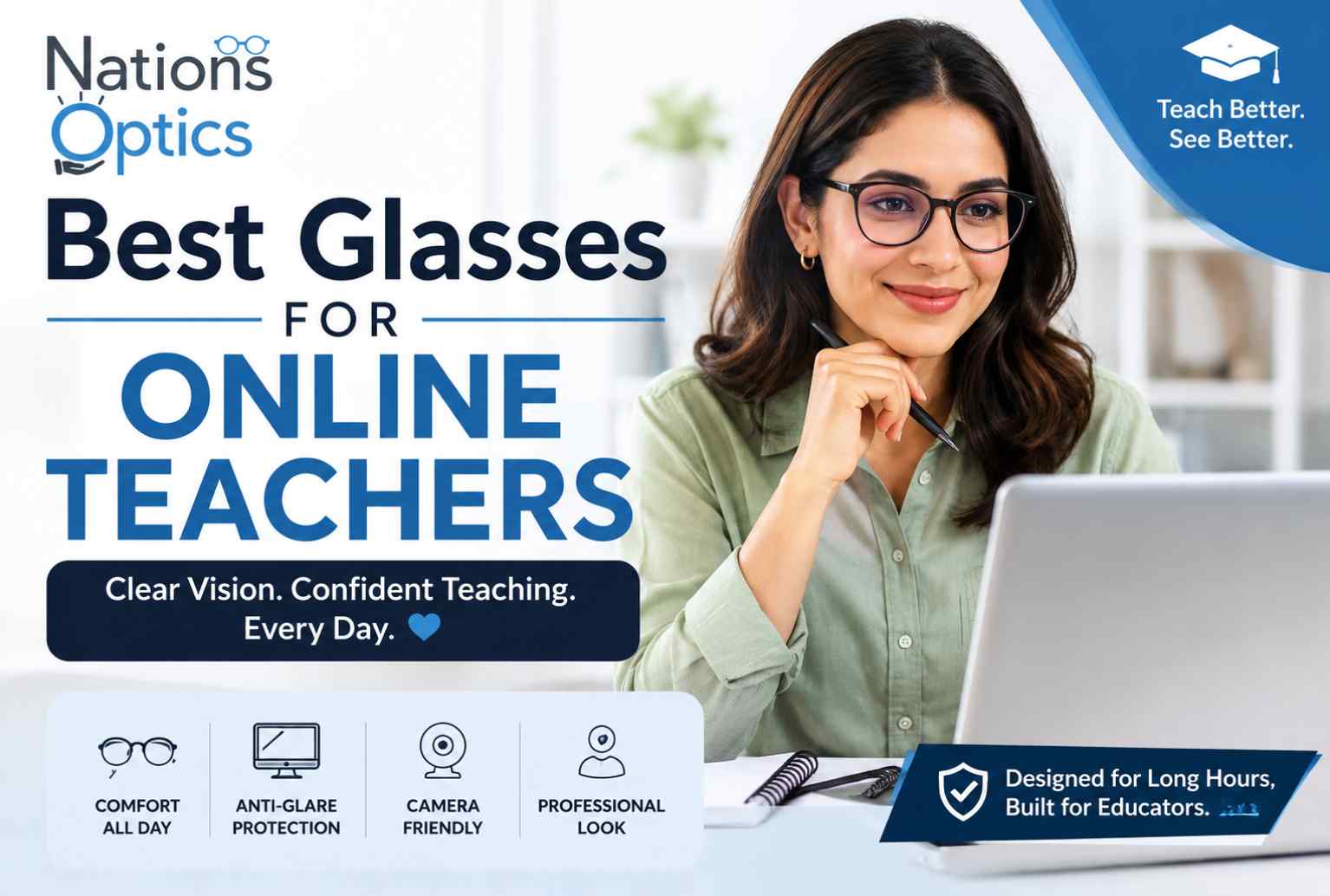
Best Glasses for Online Teachers: Comfortable, Camera-Ready Eyewear
Jul 27, 2026
By Rahul Jain
0 comment(s)
Eyewear for Educators
Best Glasses for Online Teachers: Professional, Comfortable & Camera-Friendly Eyewear
Hours of Zoom, screen glare, and looking your best on camera — here's how to choose glasses built for the way online teaching actually works.
Online teaching has changed the way educators connect with students. From live classes and virtual tutoring to Zoom meetings and recorded lessons, teachers now spend hours in front of a computer screen and webcam every day. Because of this, choosing the right eyewear is no longer only about vision correction — the right glasses can improve comfort during long teaching sessions, reduce distracting reflections, and help you maintain a professional appearance on camera.
The best glasses for online teaching combine clear vision, comfortable wear, a professional appearance, and lenses that work well with digital screens and video calls. In this guide, we cover how to choose the best glasses for Zoom meetings, teaching on camera, and long online teaching sessions.
Zoom & Video Calls Anti-Reflective Lenses Webcam Glare Blue Light Professional Frames
What Are the Best Glasses for Online Teachers?
The best glasses for online teachers are comfortable, lightweight, properly fitted, and designed for clear vision through long hours of screen use. For most online educators, an ideal pair should include:
- A comfortable and lightweight frame
- Accurate prescription lenses
- Anti-reflective or anti-glare coating
- A frame shape that suits your face and professional appearance
- Lenses suitable for extended computer and screen use
- A secure fit that doesn't constantly slide down
- Minimal reflection on webcam or video calls
Whether you teach on Zoom, Google Meet, Microsoft Teams, or another platform, your glasses should support both visual comfort and your on-camera presence.
Why Choosing the Right Glasses Matters
Online teachers spend hours looking at a laptop, monitor, or tablet — while also looking into a webcam, reading lesson plans, monitoring student responses, and switching between multiple screens. This combination makes eyewear selection especially important. The right glasses can help you:
- Maintain clear vision during lessons
- Reduce distracting reflections from screens and lighting
- Improve comfort during long video calls
- Look professional during online classes
- Reduce the need to constantly adjust your frames
- Transition easily between screen viewing and normal distance vision
The best glasses for teachers aren't necessarily the most expensive — correct prescription, comfortable fitting, suitable lens features, and a frame that works for your daily routine matter most.
Key Features to Look For
1
Lightweight Frames for Long Sessions
Wearing glasses for hours can create pressure around the nose, ears, and temples. Materials like TR90, lightweight metal, and titanium offer a good balance of durability and comfort. Look for lightweight construction, comfortable nose support, proper temple length, a stable fit, and a frame width that matches your face.
2
Anti-Reflective Lenses
Computer screens, ring lights, windows, and room lighting all create reflections — particularly noticeable on camera. Anti-reflective lenses reduce unwanted reflections from the front and back lens surfaces, making them useful for anyone frequently on video calls.
3
A Comfortable, Accurate Prescription
An outdated or inaccurate prescription can cause difficulty focusing, eye fatigue, headaches, or discomfort on screens. Make sure your prescription is current, and consult a qualified eye-care professional if you experience persistent visual discomfort.
4
Blue Light Glasses: Are They Necessary?
They're widely marketed for screen-heavy work, but an accurate prescription, appropriate lighting, regular breaks, and a suitable working environment remain the most important factors. Some teachers prefer blue light filtering; others prefer standard prescription lenses with anti-reflective treatment — the best choice depends on your visual requirements.
Best Glasses for Zoom and Video Calls
Your glasses influence both your appearance and how clearly students see your face on video calls. The best glasses for teachers on Zoom should:
- Fit securely
- Minimize distracting lens reflections
- Look professional on camera
- Complement your face shape
- Remain comfortable during long video calls
A pair that looks great in person may appear differently on camera — frame proportions, lens reflections, lighting, and webcam positioning all play a role. Glasses that look good on camera combine a flattering frame with lenses that help reduce unnecessary reflections.
What Glasses Look Best on Camera?
There's no single best frame style — the ideal choice depends on your face shape, personal style, and professional image.
Rectangular
A structured, professional appearance — classic, confident, and polished on camera.
Round
A softer, more creative appearance — approachable and distinctive.
Full-Rim
A defined frame around the lenses that creates a strong visual presence on camera.
Rimless
Lightweight and subtle — good for teachers who prefer their eyewear less noticeable.
Cat-Eye
A stylish, expressive appearance for teachers who want their glasses to reflect their personality while staying professional.
The most important factor isn't following a trend — the frame should fit correctly, feel comfortable, and complement your face.
How to Reduce Webcam Glare
Glare happens when light from a window, lamp, ring light, or screen reflects directly off the lens surface. A few practical fixes:
Choose Anti-Reflective Lenses
Coatings minimize unwanted reflections from the lens surface.
Adjust Your Lighting
Avoid strong light directly in front of your glasses at a reflective angle — soft, diffused lighting looks better on camera.
Position Your Webcam Correctly
Small changes to camera angle can reduce visible glare on your lenses.
Keep Your Lenses Clean
Smudges and fingerprints make reflections and distractions more noticeable on camera.
Best Lenses for Online Teachers
Best Computer Glasses for Teachers
Teachers use computers for much more than teaching — presentations, assignments, emails, lesson plans, and meetings. The best computer glasses provide clear, comfortable vision at the distances you use most. Before choosing, consider:
- How far you sit from your screen
- Whether you use one screen or multiple screens
- Whether you also need distance vision
- Whether you use printed books or notes
- Whether you already wear prescription glasses
A professional lens recommendation can help match a solution to your actual daily activities.
How to Choose Glasses for Online Teaching
1
Start With Your Prescription
Your prescription is the foundation of your eyewear — even the most stylish frame won't help if it's incorrect or outdated.
2
Consider Your Screen Time
Teaching online for several hours a day means comfort should be a major priority.
3
Think About Your On-Camera Appearance
Choose a frame that reflects your professional style and complements your face.
4
Consider Lens Reflections
If you frequently teach through video calls, anti-reflective lenses can help reduce distracting reflections.
5
Choose the Right Fit
A frame that's too narrow, too wide, too heavy, or poorly adjusted can become uncomfortable during long lessons.
Best Glasses for Teachers Working From Home
Teachers working from home have a flexible but demanding visual routine — teaching classes, using a computer, checking documents, attending meetings, and reading. For this lifestyle, comfortable and versatile eyewear is usually the best choice. Look for glasses that:
- Are comfortable for extended wear
- Provide clear vision at your working distances
- Have a secure fit
- Complement your professional appearance
- Work well with your home-office lighting
- Reduce distracting reflections on webcam
Quick tip: Choose a frame that complements your face, avoid frames that constantly slide down, keep lenses clean, consider anti-reflective coating, and check that your lighting doesn't create excessive glare — small habits that add up to a more polished on-camera presence.
Frequently Asked Questions
What are the best glasses for online teachers?
Comfortable, lightweight, properly fitted glasses with an accurate prescription. Anti-reflective lenses help reduce reflections during video calls.
What are the best glasses for teaching on camera?
Glasses that fit comfortably, look professional, and minimize distracting reflections. The ideal frame shape depends on your face shape and personal style.
Are blue light glasses good for teachers?
Some teachers prefer them for heavy screen use, but an accurate prescription, proper lighting, and healthy screen habits matter just as much.
What are the best glasses for teachers on Zoom?
Glasses that provide clear vision, comfortable wear, and minimal distracting reflections — anti-reflective lenses and a well-fitting frame help.
Which frame shape is best for online teachers?
There's no universal best — rectangular, round, full-rim, rimless, and cat-eye frames can all work depending on face shape, style, and professional image.
Are anti-glare glasses good for online teaching?
Yes — they can help reduce reflections from screens and lighting, especially useful for teachers with many hours of video calls.
What are the best computer glasses for teachers?
It depends on prescription, working distance, screen setup, and whether you also need clear vision at other distances — a properly prescribed lens matters most.
Look Sharp for Every Class
Nations Optics helps online teachers find glasses built for long screen hours and confident on-camera moments.
- Lightweight, all-day comfortable frames
- Anti-reflective lenses for glare-free video calls
- Progressive & blue light options available
- Frame styles that photograph well on camera
Live
Ms. Sharma — Online Class
The best glasses for online teachers should do more than correct your vision — they should support your daily teaching routine, remain comfortable during long online classes, look professional on camera, and reduce distracting reflections from screens and lighting.
With the right pair of glasses, you can teach confidently, stay comfortable during long screen sessions, and look your best in every online class.
Exclusive Offers
Sitewide
33%
OFF
Flat 33% off on all products
Already applied on every price · no coupon needed
Auto-applied
10%
OFF
On orders ₹1,200 – ₹1,799
No coupon needed · saves automatically
Auto-applied
15%
OFF
On orders ₹1,800 – ₹3,199
No coupon needed · saves automatically
Best Deal 🔥
20%
OFF
On orders above ₹3,200
No coupon needed · saves automatically
Pay Advance
₹50
SAVED
Pay advance amount at checkout
Flat ₹50 off · pay balance on delivery
Pay Full ✓
₹100
SAVED
Pay full amount at checkout
Maximum saving · instant confirmation
N
Nations Optics Assistant
● Online
👋 Hi! I'm your Nations Optics assistant. Ask me anything about lenses, frames, or prescriptions!